Gameplay & Mechanics
Movement
For my player's movement, I implemented a Finite State System. This allows for each movement state to be isolated in their own script. This prevents the chance of one script becoming too large to easily maintain, and also makes mechanic debugging far easier. This aids my efficiency in implementing player movement mechanics, if there is an issue, I can dial the issue down to one single state, identifying one single script that the issue will be happening within. I have implemented the following movement states into my player:
Idle
Walking
Sprinting
Jumping
Airborne
Wall Running
Wall Jumping
Sliding
Player State Machine Flowchart
To explain how this Finite State Machine works, I have produced a flowchart that explains the basic workflow:
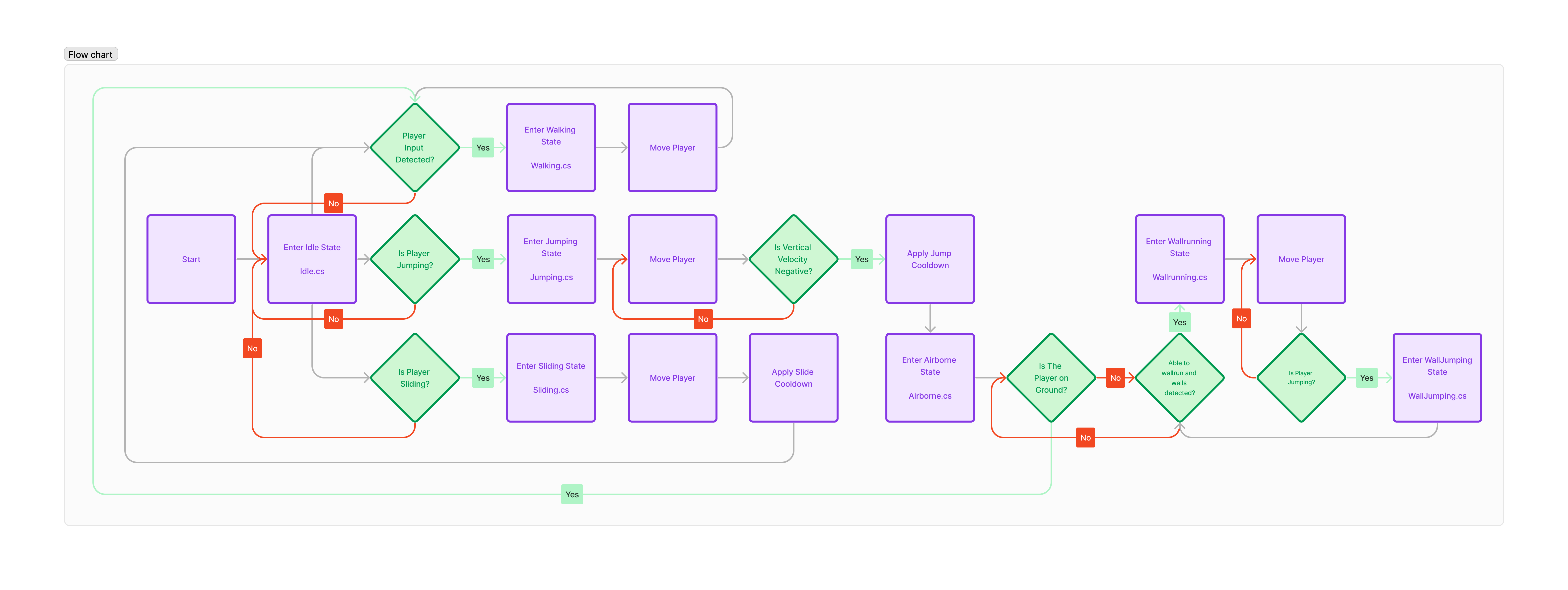
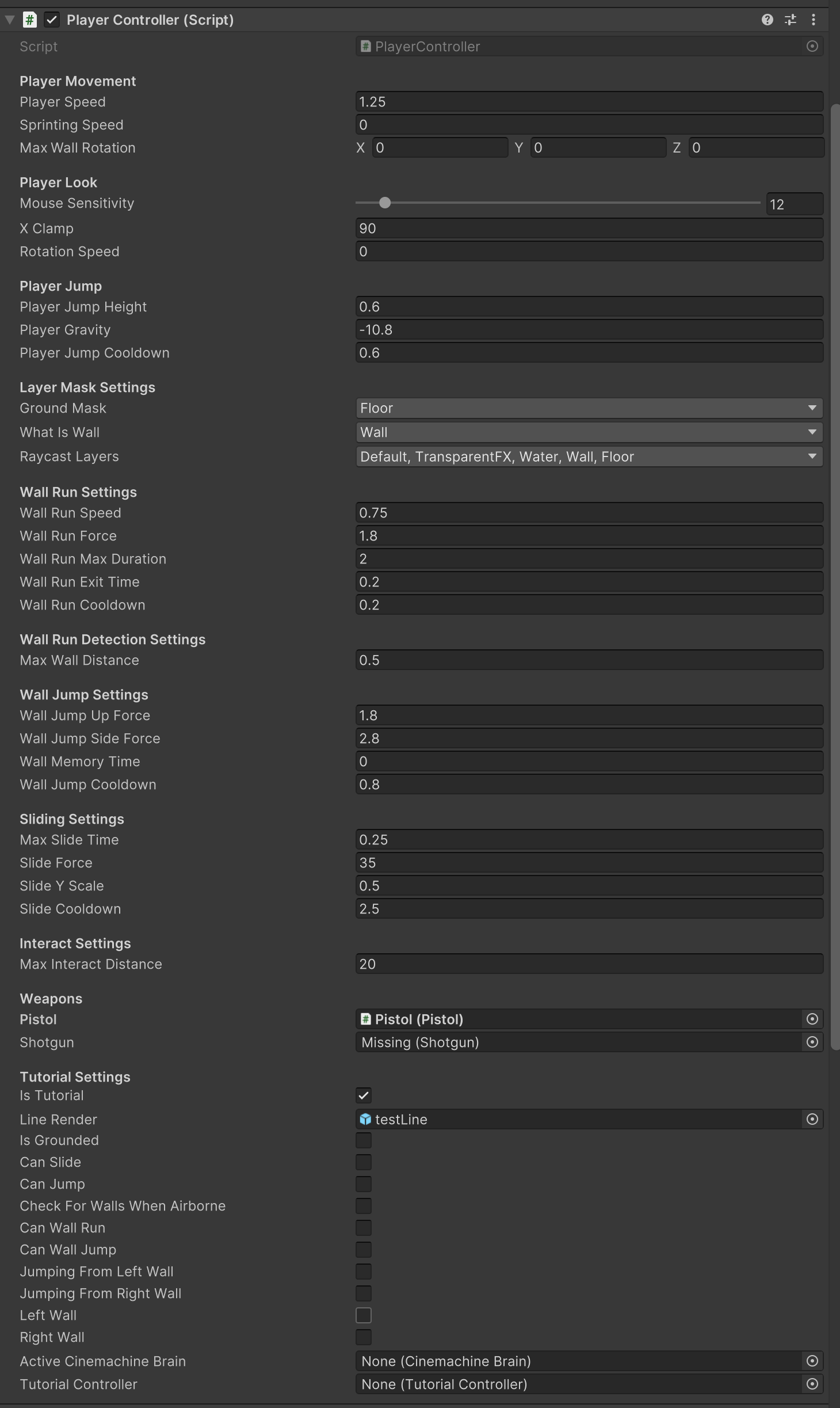
This is also being done to make the player's input feel as responsive as possible. I have set this finite state machine up to be completely configurable, allowing these implementations to give the player a fluid feeling of movement. This also allows for a deeper level of input feedback alongside hopefully increasing the potential to become immersed in my game.
Player Settings Showcase
Camera
I also followed a similar approach with the Camera system within the game, applying a secondary Finite State System. To achieve this, I used the beta version of the Cinemachine Unity package—Version 3.0 to be specific. This allowed me to isolate each camera perspective from one another, further preventing there being one huge script that becomes obfuscated with the sheer number of lines. I have managed to implement the following perspectives:
First-Person Perspective
Third-Person Perspective
Camera State Machine Flowchart
To explain my proposed structure of this Finite State Machine, I also produced a flowchart explaining the workflow:
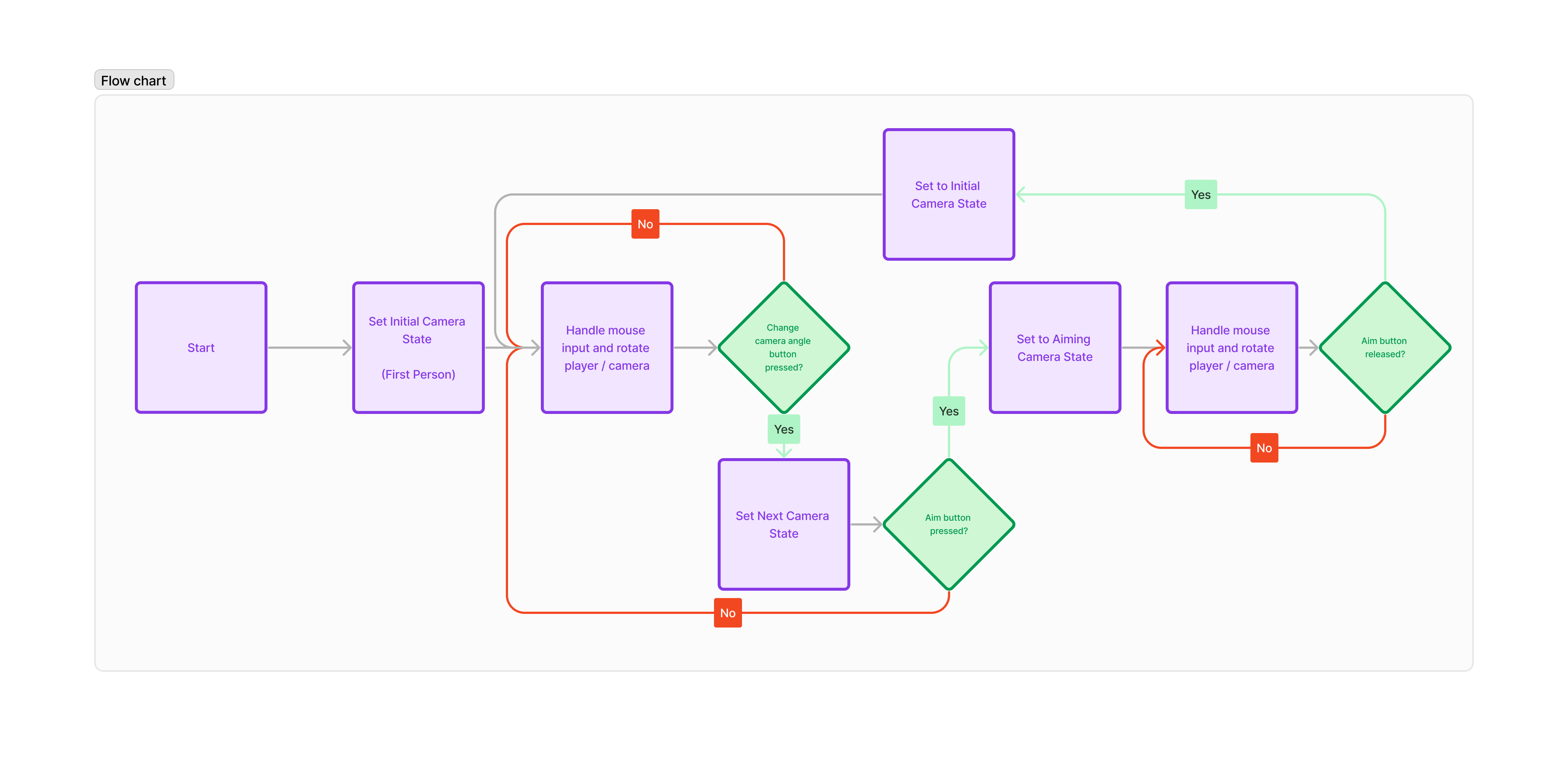
I was initially intending on implementing more varieties of camera perspectives within my game, however, the amount of time it took to learn the new Cinemachine 3.0 API and integrate that with the state machine was taking too much time. I decided to cut my losses and stick to only two perspectives, which can be showcased throughout the play-through of my game. It is not the most perfect implementation as I ran out of time to finish of the third-person mechanics within the game, but it can still be shown working transitioning between each state.
Weapons
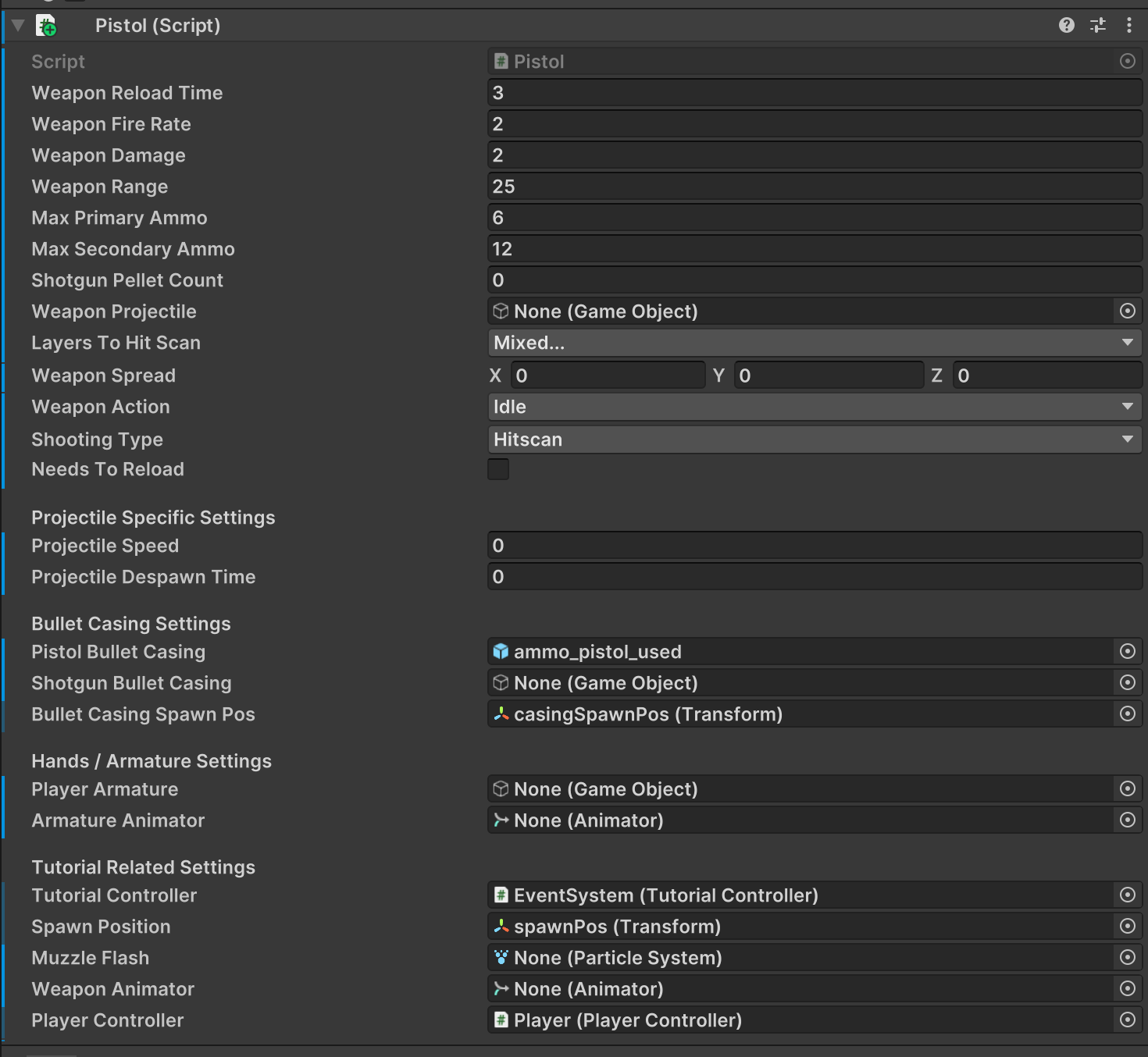
I designed the weapon mechanics in my game around a single base class—this allows for me to easily implement any further weapons, using the configurability that I have designed in the base class. Throughout development, I have been able to implement two weapons:
Pistol
Shotgun
I would have ideally liked to have more implemented towards the end of development, but I feel like these two weapons are enough to showcase in my vertical slice. The base class has been designed to have the options to switch between projectiles, or raycast, and also allows for the option to have object pooling, increasing the efficiency / optimisation of my game.
Weapon Settings Showcase
Enemy AI
I initially intended for my enemies AI to be far more advanced than it actually turned out to be. I initially intended for my enemies to be able to wall run, just like the player could. However, due to several attempts to implement this within unity, it turned out to be far more challenging than I had originally expected it to be, causing me to remove the idea and stick with a basic enemy implementation.
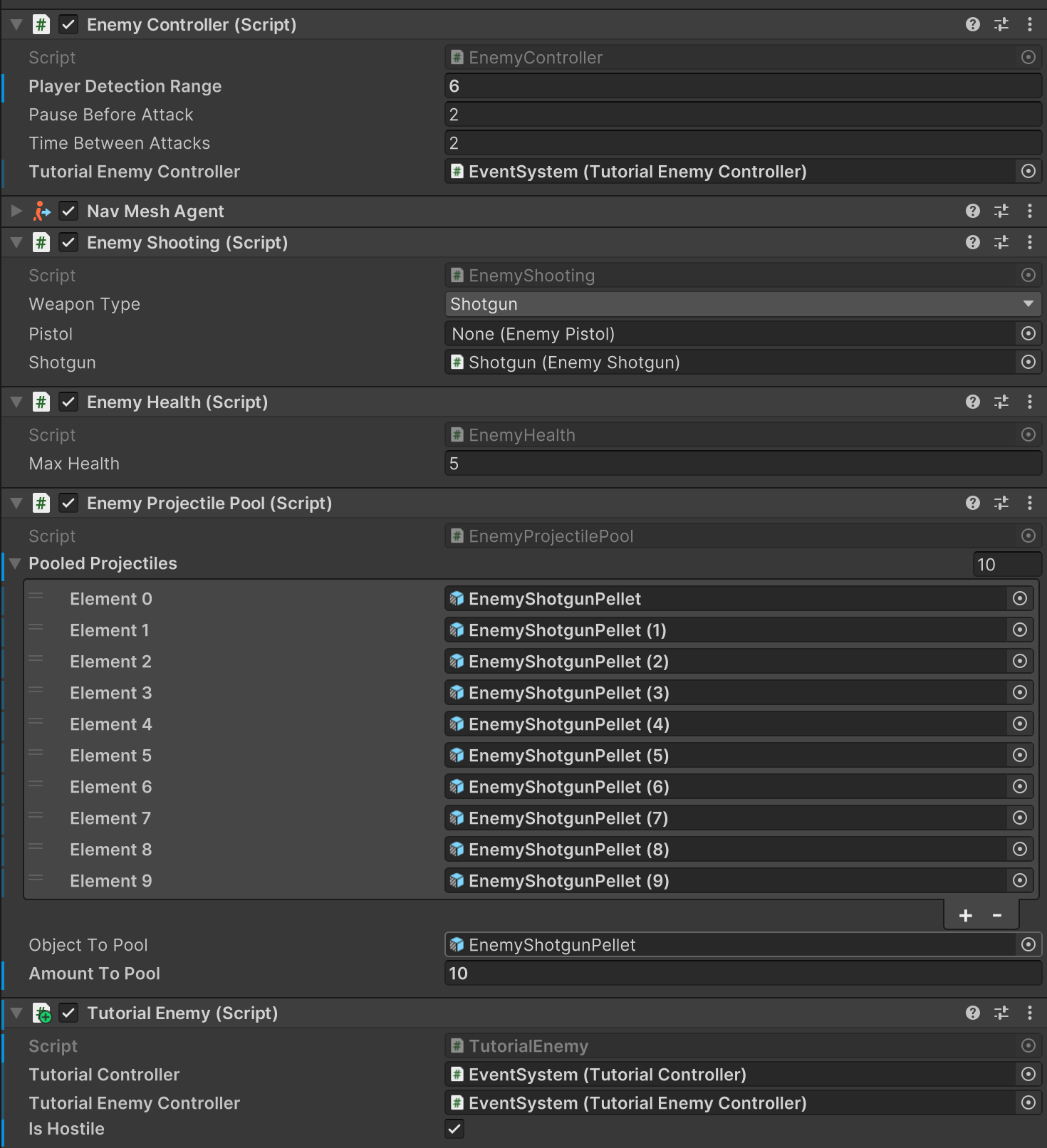
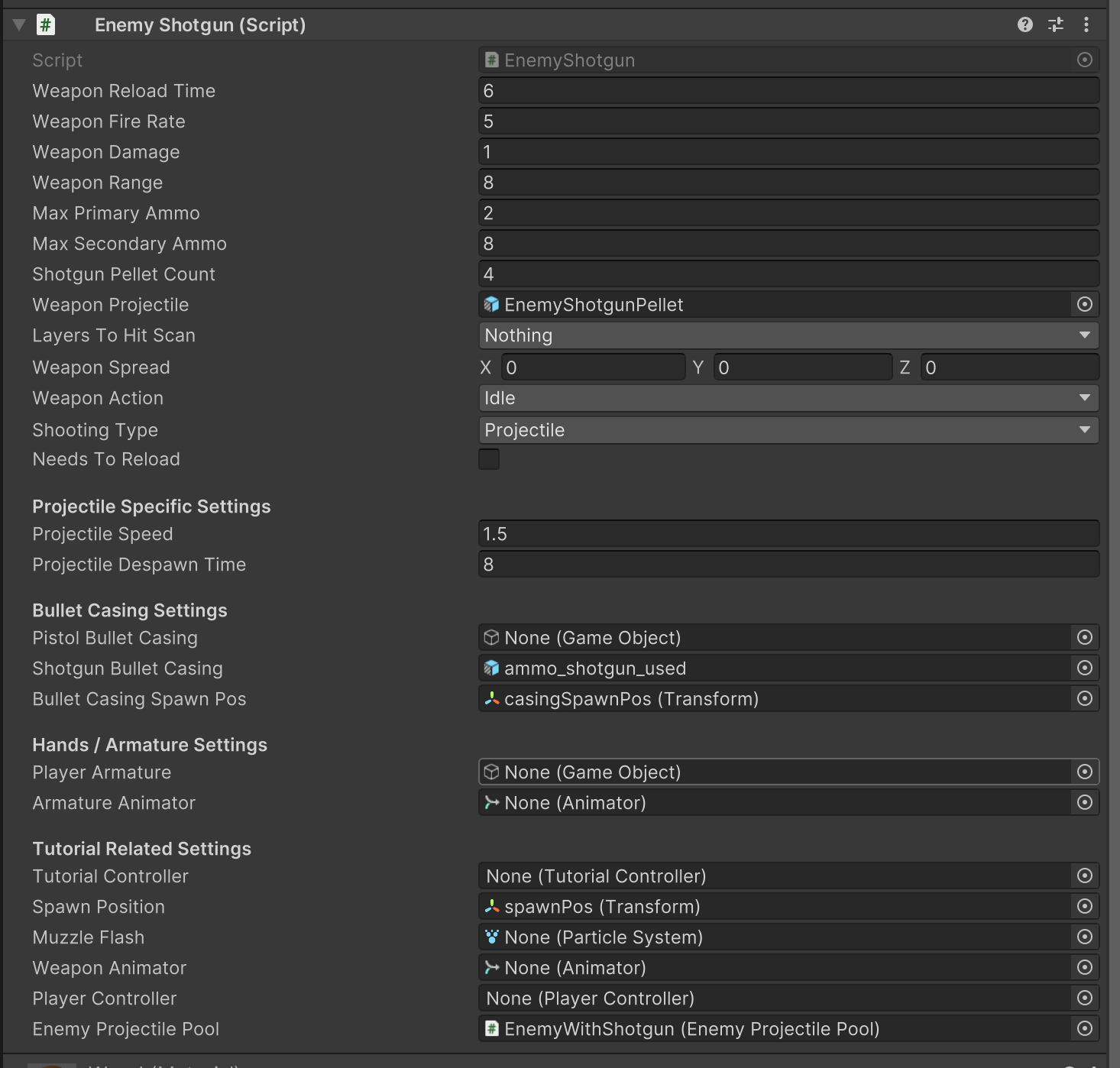
I set up an enemy weapon mechanic, deriving from the base class for the weapons I mentioned in the section beforehand. This then allows for further configuration of the enemy AI and its complexity; allowing it to scale with the difficulty as the player progresses through the game.
Enemy Settings Showcase
Enemy Weapon Settings Showcase
UI
UI within my game is very basic—it is rather minimal, whilst still being enough to explain what is going on within the game. If I had more time to work on this project, I would have extended the variety of UI assets that would have been implemented within my game.
I touch upon this more in User Interface Section.
Environment
I have a few scripts that control the environment within my game. This ranges from a light flickering script, to a move walls script, to some bound sensors. These scripts are crucial to making my environment feel interactive throughout play-through.